






How Long Should You Keep Security Footage? A Practical Guide by Industry
Ask any security professional how long you should keep video surveillance footage and you’ll get the same opening: “It depends.” That’s true, but it’s not very useful when you’re sizing your storage budget for the next year. Below is a more useful answer – broken down by what actually drives the decision and what makes sense industry by industry.
The short answer
Most businesses keep 30 days of footage. It’s the de facto industry default, balances cost against incident-discovery time, and satisfies the broadest set of insurance and law-enforcement requests.
But the right answer for your business depends on three things: what your industry’s regulators require, how long you’d typically take to discover an incident, and what storage costs you’re willing to absorb. Get those three right and your retention policy writes itself.
What actually drives the decision
Regulatory floors. Some industries have mandatory minimum retention periods written into law or industry standards. Banking, gaming, and government facilities have their own rules. Default to the regulatory minimum unless you have reason to go longer.
Incident detection window. This is the gap between when an event happens and when someone reports or discovers it. A slip-and-fall claim might surface six weeks after the incident. A receiving error might not be noticed until inventory count thirty days later. Your retention should be longer than your typical incident detection window – otherwise the footage is gone before anyone thinks to look.
Storage cost. More days of footage means more drives, more bandwidth, more cooling, and more time on maintenance. There’s a real cost to over-retention. Doubling retention from 30 to 60 days doubles your storage hardware budget. Going from 30 days to one year is a 12× increase.
Insurance and legal context. Some insurers offer premium reductions for businesses that maintain longer retention. Some industries face civil claims with months-long discovery windows. If you’re in a sector that ends up in court often (hospitality, retail with high traffic, healthcare), longer retention is cheap legal insurance.
Retention by industry
The table below is a starting point. Your specific situation, insurer, and jurisdiction may shift these numbers – but these are common practice across North America in 2026.
| Industry | Typical retention | Why |
|---|---|---|
| Retail (small) | 30 days | PCI-DSS for payment areas, theft investigations |
| Retail (big-box) | 60–90 days | Slow-discovery shrinkage, multi-location investigation lag |
| Banking & financial | 90 days minimum | Federal regulations, fraud disputes, FFIEC guidance |
| Healthcare facilities | 30 days typical | HIPAA implications for patient areas; state laws vary |
| Education (K–12) | 30–90 days | District policy; longer for high-risk events |
| Education (post-secondary) | 30–60 days | Title IX considerations, longer for serious incidents |
| Hospitality & restaurants | 30 days | Slip-and-fall claims (longer where incidents occur) |
| Construction sites | 30–90 days | Project insurance, theft, dispute resolution |
| Manufacturing & warehouse | 30–60 days | Inventory reconciliation, workplace incidents |
| Multi-tenant residential | 30 days | Local landlord-tenant law dependent |
| Government & critical infrastructure | 1 year+ | NDAA, agency policy, threat investigation |
| Marine & ports | 90+ days | Maritime regulations, customs/border |
A practical rule: if your industry isn’t listed, start at 30 days. If you have known longer claim or discovery windows, double it.
The storage math
Once you know your target retention, the math is straightforward:
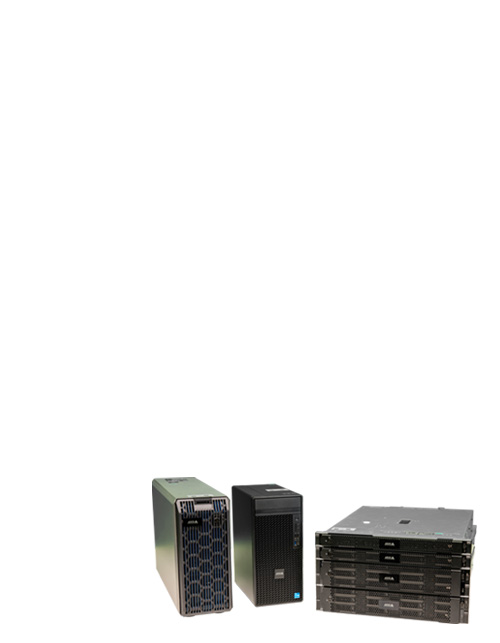
Storage required = number of cameras × bitrate × hours per day × days of retention
Where bitrate is the average data rate each camera produces. A quick example for a typical small business:
- 16 cameras × 4 Mbps average × 24 hours × 30 days
- ≈ 5 TB raw, about 12 TB with system overhead and headroom
Three things move that number significantly:
Codec choice. H.265 cuts bitrate by roughly half compared to H.264 at the same image quality. AXIS Zipstream and similar smart-bitrate technologies cut another 50% or more on top of that by reducing detail in unimportant scene areas.
Recording mode. Continuous recording produces predictable storage requirements but maximum cost. Motion-triggered recording can cut storage by 50–80% depending on scene activity – but you’re trusting motion detection to never miss an event. A hybrid (continuous low-frame-rate plus event-triggered high-detail) is the sweet spot for most businesses.
Resolution and frame rate. Doubling resolution roughly quadruples bitrate. Cutting frame rate from 30 fps to 15 fps cuts storage roughly in half. Choose intentionally per camera – your front door doesn’t need 4K at 30 fps; a license-plate camera at the gate does.
How to plan your retention policy
- Start from the regulatory minimum for your industry. If you operate in multiple jurisdictions, default to the strictest.
- Add buffer for your incident detection window. If your team typically reviews footage two weeks after the fact, your retention should comfortably exceed that.
- Plan for 30% storage headroom. Drives fail, scenes get busier, you add cameras. Designing right to the line means you’ll be short within a year.
- Use modern codecs. H.265 or H.264 with smart-bitrate (Zipstream and similar) is non-optional for any new system in 2026.
- Mix recording modes intentionally. Motion-triggered on quiet zones, continuous on regulated or high-value zones.
- Review annually. Retention needs change as your business grows, your insurance changes, and regulations evolve.
When in doubt, ask
Storage sizing is one of the highest-leverage decisions in a surveillance system. Get it wrong and you’re either over-paying for shelf space or losing footage when you need it most. If you’d like a second opinion on what’s right for your operation, our Certified specialists can model the math for your specific camera count, resolution targets, and retention goals.
Request a free quote and we’ll walk you through the math.

 USD $
USD $  CAD $
CAD $