






Custom Milestone XProtect Plugins & Integrations (MIP SDK)
Milestone XProtect Development
Custom XProtect Plugins & Integrations
Milestone XProtect is an open platform. Alongside certified design and installation, CamCentral offers custom plugin and integration development using the Milestone Integration Platform (MIP) SDK, for the cases where XProtect needs to do something it does not do out of the box.
When off-the-shelf isn’t quite enough
XProtect is a powerful, open-platform VMS — but every site runs differently. The gap between “the VMS does 90% of what we need” and “the VMS does exactly what we need” is usually a software problem, and it is usually solvable.
Typical examples of what a custom MIP plugin can do:
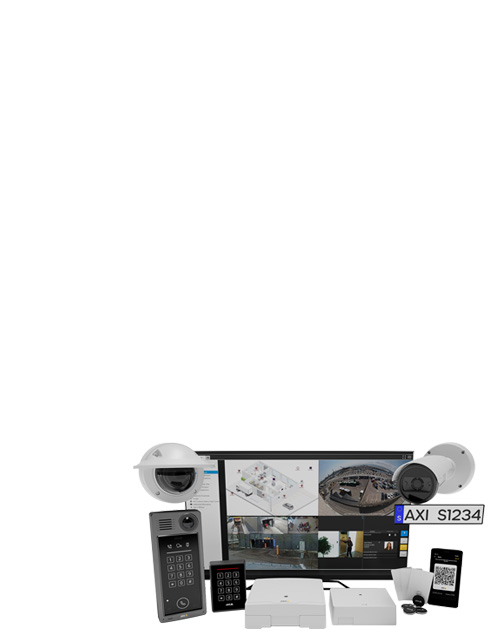
- Bring another system into Smart Client. Surface data from access control, SCADA, building management, a weighbridge, an ERP or a proprietary sensor directly alongside the video, so operators work in one window instead of three.
- Trigger video on your events. Make XProtect record, bookmark or alarm from an external trigger it doesn’t natively understand — a PLC output, an API webhook, a custom analytic.
- Push analytics results into the timeline. Feed detections from a camera-side application or an external AI engine into XProtect as searchable metadata and alarms.
- Automate an operator workflow. Replace a manual, error-prone procedure with a button in Smart Client that does the whole sequence.
- Export and report on your terms. Custom evidence packaging, scheduled reporting, or pushing data to a system that needs it in a specific format.
We are a Milestone VMS Specialist
CamCentral Systems holds Milestone VMS Specialization, with certified XProtect design and integration staff in-house — XProtect Certified Integration Technician and Milestone Certified Design Engineer. That means the people scoping an integration also design and commission the system it runs on, so the licensing and architecture questions get answered in the same conversation.
Where our development experience comes from
We should be clear about this: our software work to date has been on the AXIS camera platform, where we hold AXIS Application Development Partner status and build camera-side applications such as SpeedScan. That is a different SDK from Milestone’s, and we are not claiming a portfolio of finished XProtect plugins. What carries across is the habit of building against a vendor platform properly, reading the documentation, testing on a representative system and supporting the result through upgrades, combined with the XProtect knowledge our certified integration and design staff bring.
If your requirement is a first for us, we will say so, scope it conservatively, and start small.
How an integration project runs
- Scoping call. We work out what you need XProtect to do, what systems are involved, and whether a plugin is genuinely the right answer — sometimes existing functionality or an off-the-shelf add-on already covers it, and we will tell you so.
- Technical design. Integration points, data flow, how it behaves when something upstream fails, and what it means for your XProtect licensing and architecture.
- Development and test. Built against the MIP SDK and tested on a representative system before it goes anywhere near production.
- Deployment and handover. Installed, commissioned and documented, with your team walked through it.
- Ongoing support. XProtect gets major releases; we maintain the plugin so it keeps working as your VMS is upgraded.
Which XProtect editions support plugins?
MIP integrations are supported across the XProtect range, though capability scales with edition — XProtect Expert and XProtect Corporate expose the richest integration surface, while Professional+ covers many common cases. If you are still choosing a platform, our VMS comparison guide covers where XProtect fits against AXIS Camera Station, Genetec and Hanwha BLAZE, and we can size the licensing as part of the same conversation.
Licensing for the platform your plugin runs on
- XProtect Express+ (single server, up to 48 devices): base licence + device licence
- XProtect Professional+ (multi-server, unrestricted devices): base licence + device licence
- XProtect Expert (failover recording, encrypted media database): base licence + device licence
- XProtect Corporate (distributed sites, Evidence Lock, Smart Wall and Incident Manager included): base licence + device licence
Add-ons: LPR, Access, AXIS Secure Entry, Rapid REVIEW, Smart Wall, Incident Manager, Management Server Failover, Transact, Retail, Hospital Assist, Interconnect
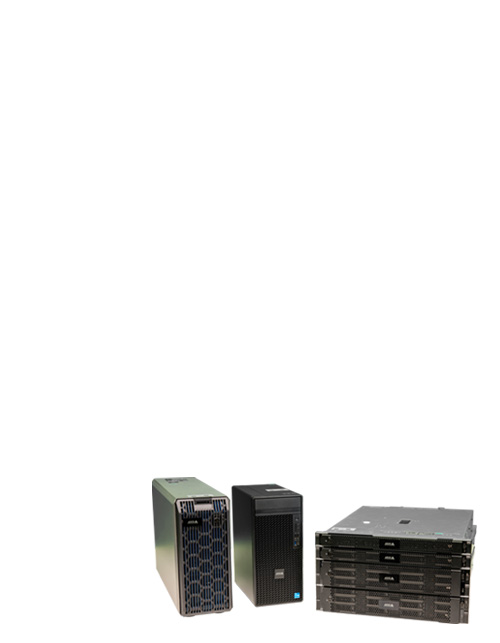
Husky IVO appliances: 5-year Keep Your Hard Drive and 4-hour Mission Critical maintenance for 150D to 1800R. Browse the full Milestone range; licences are electronic and ship nothing.
Let’s scope your integration
If XProtect nearly does what you need but not quite, tell us about the gap — the first conversation costs nothing, and we will give you an honest read on whether it is worth building.
Email orders@camcentral.net · request a quote · call (604) 876-3838 or 1-877-876-3838
We work by appointment, so reach out and we will set up a time that suits you.
 USD $
USD $  CAD $
CAD $